KB 152003 - CAP ax mikroTik router disassembling
CAPGi-5HaxD2HaxD
The CAPGi-5HaxD2HaxD is a model from MikroTik's CAP (Ceiling Access Point) series, designed for high-performance wireless networking, often used in enterprise or large-scale environments. Below is some key information about this device, along with relevant details for troubleshooting and maintenance.
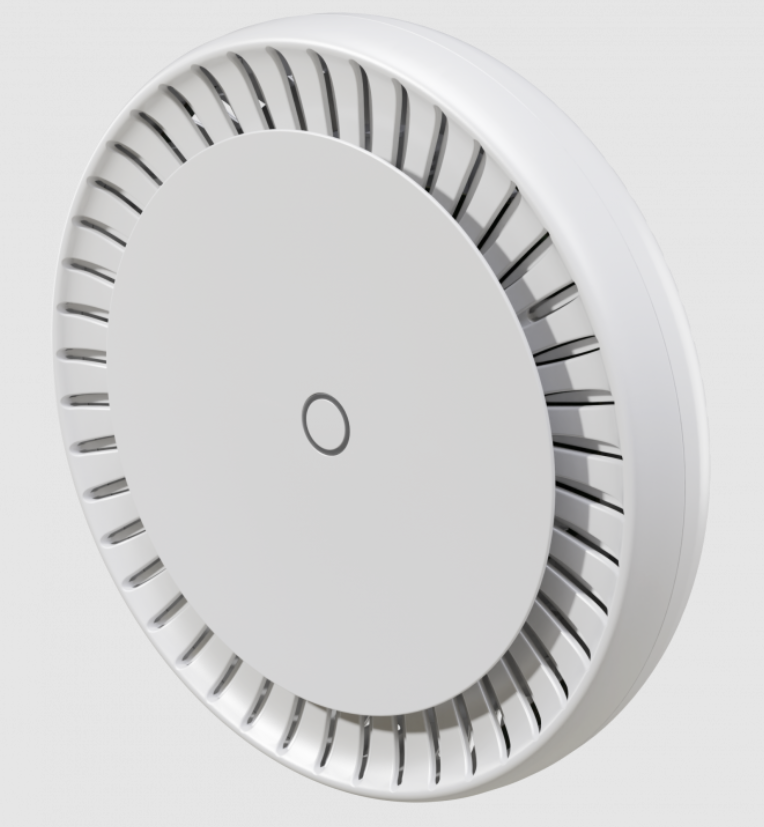
Key Features:
Tools Needed
- Plastic prying tools.
- Screwdrivers.

Plastic prying tools.
Screwdrivers.
Step by step disassembling
- On the back of the case unscrew 4 screws using screwdriver
- Use a plastic prying tool or a sludger to carefully separate the bottom cover. Be careful not to force the case open, as this can break the plastic clips.
- Disconnect internal antenna cables and Unscrew 3 screws and remove the right heat sink from the board.
- Push the Snap hook away from the board and detach the board from the case.
- On the back side of the board unscrew 4 screws and from the top side of the board gently detach the heat sink.
Related Articles
KB 152044 - CAP ax mikroTik router Overvoltage and resistance checking
CAPGi-5HaxD2HaxD Disassemble the router using KB article: CAP ax mikroTik router disassembling Tools Required: Multimeter (with DC voltage and resistance (ohm) settings) Plastic prying tools. Screwdrivers. Instruction for checking over- voltage ...KB 699023 - Configure CAPsMAN on MikroTik Switch
Configure CAPsMAN on MikroTik Switch What is CAPsMAN CAPsMAN allows us to centrally manage multiple Access Points (APs) from a single point. We can centrally configure wireless settings such as SSID, security settings, channel, transmit power, and ...How to configure MikroTik Switch
MikroTik MikroTik is a Latvian company which was founded in 1996 to develop routers and wireless ISP systems. MikroTik now provides hardware and software for Internet connectivity in most of the countries around the world. Our experience in using ...KB 599017 - MikroTik Router Dissasembly
RB951G-2HnD The RB951G-2HnD is a wireless SOHO Gigabit AP with a new generation Atheros CPU and more processing power. It has five Gigabit Ethernet ports, one USB 2.0 port and a high power 2.4GHz 802.11b/g/n wireless AP with antennas built in. Steps ...KB 580001 - Cisco Transceiver compatibility with Mikrotik switches
Question: One of our partners are planning a new project for their end customer. They plan to use Cisco core switches (C9500-48Y4C-A with SFP-10G-SR=) and MikroTik (CRS328-4C-20S-4S+RM with S+85DLC03D) like an aggregation switch to which other ToR ...
Recent Articles
KB-630208 | How to use Find and Locate to search for files in Linux
Purpose To provide Linux administrators and Field Engineers with guidance on using the find and locate utilities to efficiently search for files and directories within a Linux filesystem based on criteria such as name, type, size, timestamps, ...KB-630164 | How to use rsync to Synchronize Files
Purpose To provide a clear and practical procedure for using the rsync utility to synchronize files and directories between local systems and remote hosts, including push and pull operations, while preserving file attributes and optimizing data ...KB-630107 | How to create a Linux swap file
Purpose To provide Field Engineers and Linux administrators with a standardized procedure for creating, configuring, and validating a Linux swap file. This procedure helps ensure sufficient virtual memory is available when physical RAM is exhausted ...MSI All-in-One (AIO) PC – Physical Damage Policy for Warranty Claims
MSI All-in-One (AIO) PC – Physical Damage Policy for Warranty Claims MSI's standard warranty does not cover physical or accidental damage to an All-in-One (AIO) PC. If the damage is determined to be caused by external factors rather than a ...KB 134833 - Troubleshooting NVSM Alert NV-CPU-XX – Unrecoverable CPU Internal Error
Purpose This document provides a general troubleshooting procedure for the NVIDIA System Management (NVSM) alert NV-CPU-XX, which indicates that a CPU has reported an internal error. The article outlines how to verify whether the alert represents an ...
Popular Articles
CP Plus Camera and NVR Configuration
NVR Configuration The CP Plus Pro Series of NVRs have been meticulously designed for providing you with upgraded performance and higher recording quality in your IP video surveillance solution. The robust processor that has been inculcated in this ...KB 775235 - Kerberos Authentication – Overview
What is Kerberos? Kerberos is a secure authentication method used in our Active Directory (AD) environment (mbuzztech.com). It allows users to: Access multiple systems without re-entering passwords (Single Sign-On – SSO) Log in once Where We Use It ...How to Remove and Reinstall NVIDIA Drivers on Ubuntu
This article provides step by step guide to completely remove existing NVIDIA drivers and reinstall specific version of the NVIDIA driver on the Ubuntu system Prerequisites Administrative (sudo) access to the Ubuntu system. Internet access to ...KB 692001 - Personal Computers and Servers - Classification and Point of Contact
We can classify the computers that MBUZZ handles based on their form-factor as below: Tower Workstations, Desktops, Gaming PCs and SFF (Small form factor) PCs fall under this category. These are computers people would use on a desk and rarely move. ...KB 298031 - M.2 SSD Tier List
The sequential read and write speeds, which are usually the most advertised number, are not a proper benchmark of real-world performance or the quality of an SSD. This article categorizes and tiers SSDs based on factors like the type of NAND flash, ...