KB 778005 - How to create a Support ticket for Ruijie devices
- Create an account for Ruijie support
Create an account or log in to the existing account for vendor support
- Support center
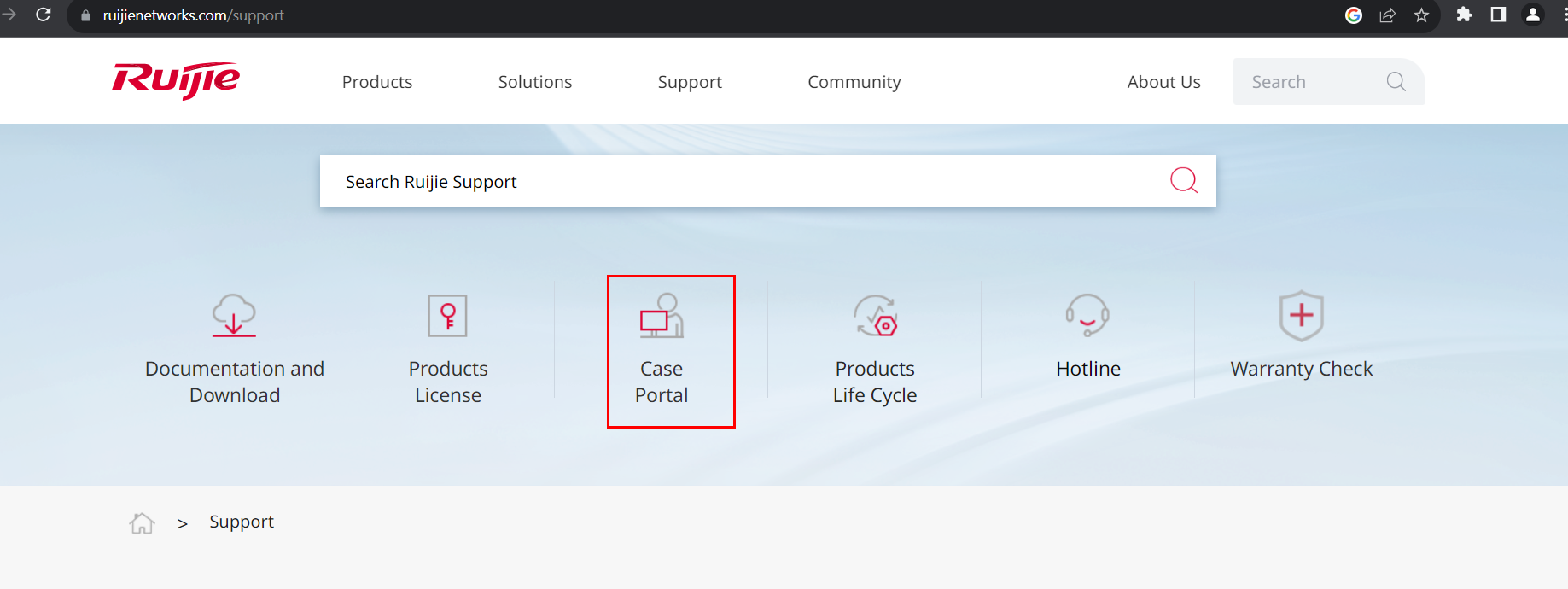
Go to Support page
Click on Case Portal
d
Select Create a case
Provide the required details including model No, Serial NO, Issue descriptions, attachments contact details etc..
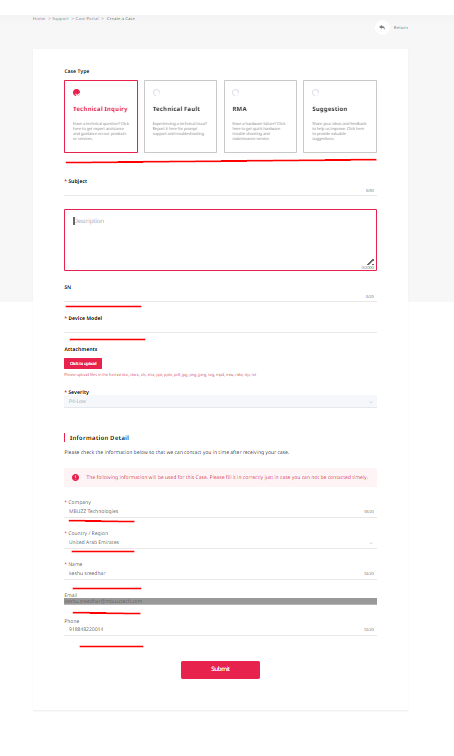
We can send our concerns thorough their case portal , also we can find our created cases in "my cases" field .
- Technical Support- Live chat, Community
This Rujie vendor site provides technical support thorough Live chat , Community
Expand the "contact us" tab from right bottom> select Technical support.
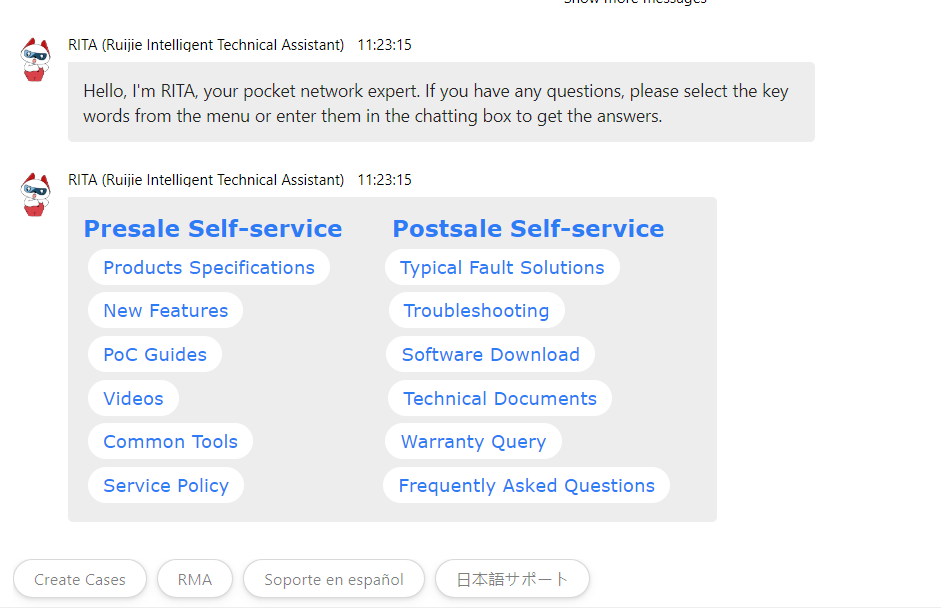
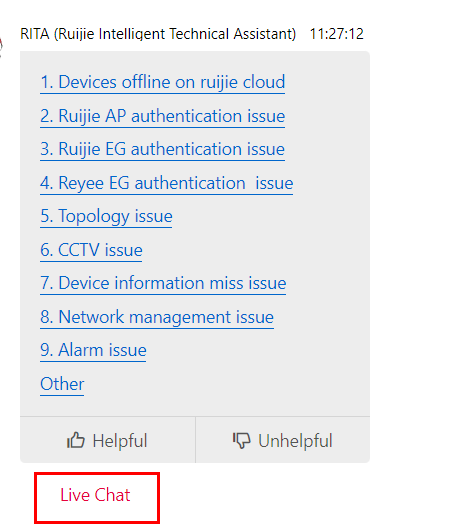
Select Live chat
Select the required filed
( Click on troubleshooting for technical support)
Select the product
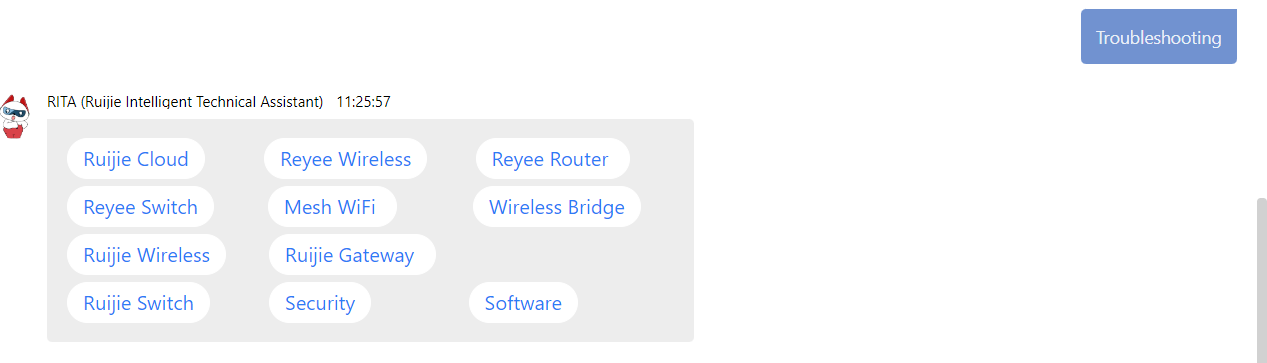
Click on live chat for connecting to a technical support agent, ask your questions technical support team will provide fast response and troubleshooting methods.
Related Articles
KB 487004 - How to manage tickets in NVIDIA NPN Portal
Prerequisites Ensure you have access to the NVIDIA Partner Network (NPN) Portal. Method 1: Submitting a Support Ticket via Email You can create a support ticket by sending an email to NVIDIA Enterprise Support Case at: ? enterprisesupport@nvidia.com ...
KB 143291 - NVMe Devices Not Detected During Early Boot with Existing BIOS
Overview This KB document addresses an issue where some NVMe devices are not detected during system startup, causing the operating system to fail to recognize all installed NVMe drives. The issue is related to limitations in PCIe device enumeration ...
KB 362429 - How to trigger a Support Bundle on NetApp Appliance
Purpose This article provides the steps to collect and trigger a full support bundle on a NetApp Storage Appliance. Support Bundles are used to collect diagnostics data for troubleshooting performance, connectivity, or I/O issues. Steps Login to the ...
Ticket Handling- Level One Check
Ticket Handling-Level One Check Ticket handling level one check indicates the procedures for collection required details for processing tickets (RMA,ARS,Service Center) Most of the time required details will be available when the ticket is raised, ...
KB 112348 - PC Doctor Service Center Multi-Purpose Testing Tool
Service Center Multi-Purpose USB Device PC Doctor Service Center provides four excellent diagnostic environments on a single USB key, giving technicians quick access to Windows, Chrome OS, Bootable Diagnostics with Intel-based Mac and Android ...
Recent Articles
KB-630208 | How to use Find and Locate to search for files in Linux
Purpose To provide Linux administrators and Field Engineers with guidance on using the find and locate utilities to efficiently search for files and directories within a Linux filesystem based on criteria such as name, type, size, timestamps, ...
KB-630164 | How to use rsync to Synchronize Files
Purpose To provide a clear and practical procedure for using the rsync utility to synchronize files and directories between local systems and remote hosts, including push and pull operations, while preserving file attributes and optimizing data ...
KB-630107 | How to create a Linux swap file
Purpose To provide Field Engineers and Linux administrators with a standardized procedure for creating, configuring, and validating a Linux swap file. This procedure helps ensure sufficient virtual memory is available when physical RAM is exhausted ...
MSI All-in-One (AIO) PC – Physical Damage Policy for Warranty Claims
MSI All-in-One (AIO) PC – Physical Damage Policy for Warranty Claims MSI's standard warranty does not cover physical or accidental damage to an All-in-One (AIO) PC. If the damage is determined to be caused by external factors rather than a ...
KB 134833 - Troubleshooting NVSM Alert NV-CPU-XX – Unrecoverable CPU Internal Error
Purpose This document provides a general troubleshooting procedure for the NVIDIA System Management (NVSM) alert NV-CPU-XX, which indicates that a CPU has reported an internal error. The article outlines how to verify whether the alert represents an ...
Popular Articles
CP Plus Camera and NVR Configuration
NVR Configuration The CP Plus Pro Series of NVRs have been meticulously designed for providing you with upgraded performance and higher recording quality in your IP video surveillance solution. The robust processor that has been inculcated in this ...
KB 775235 - Kerberos Authentication – Overview
What is Kerberos? Kerberos is a secure authentication method used in our Active Directory (AD) environment (mbuzztech.com). It allows users to: Access multiple systems without re-entering passwords (Single Sign-On – SSO) Log in once Where We Use It ...
How to Remove and Reinstall NVIDIA Drivers on Ubuntu
This article provides step by step guide to completely remove existing NVIDIA drivers and reinstall specific version of the NVIDIA driver on the Ubuntu system Prerequisites Administrative (sudo) access to the Ubuntu system. Internet access to ...
KB 692001 - Personal Computers and Servers - Classification and Point of Contact
We can classify the computers that MBUZZ handles based on their form-factor as below: Tower Workstations, Desktops, Gaming PCs and SFF (Small form factor) PCs fall under this category. These are computers people would use on a desk and rarely move. ...
KB 298031 - M.2 SSD Tier List
The sequential read and write speeds, which are usually the most advertised number, are not a proper benchmark of real-world performance or the quality of an SSD. This article categorizes and tiers SSDs based on factors like the type of NAND flash, ...