ASUS PIKE 3008i RAID Card Installation on ASUS RS700-E11-RS4U/10G/1600W/G 1U Dual Socket Server
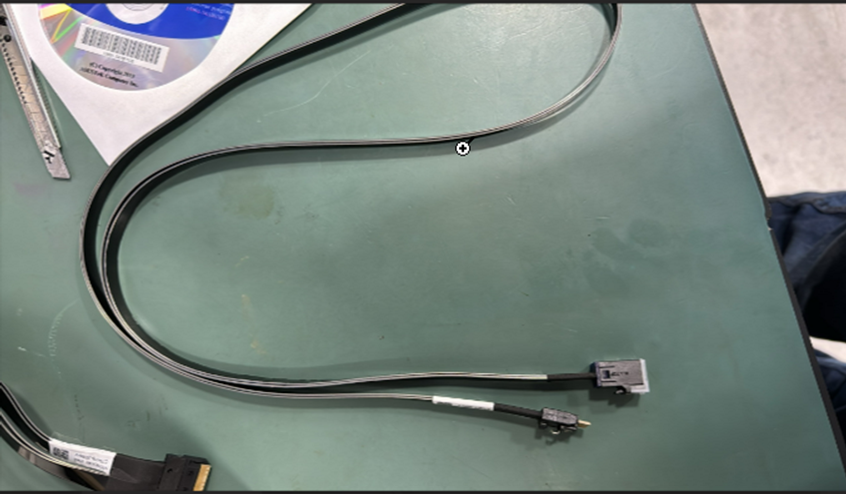
The ASUS RS700-E11-RS4U/10G/1600W/G 1U Dual Socket Server requires additional cable kits to support RAID cards, regardless of the vendor. Below is some information on supported RAID card and cables for future reference.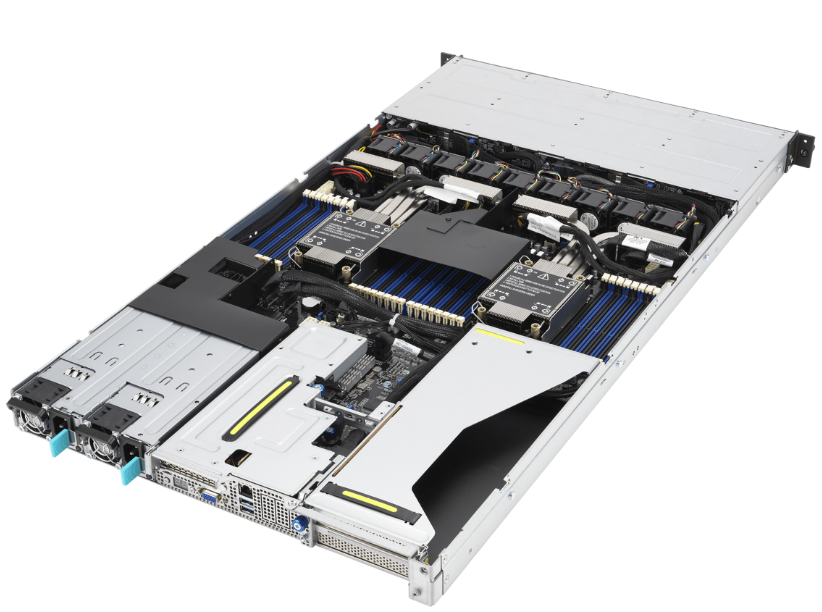
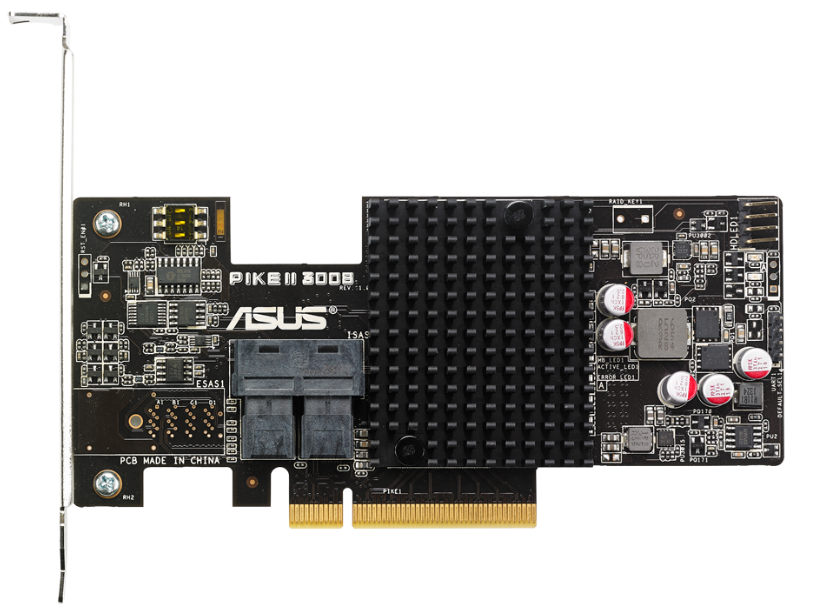
The server's front bay only supports slimpcie connectors for Asus PIKE cards, so ensure compatibility
before installation. Refer to the server's documentation for detailed
instructions.
How to procure the cable
Required cable details
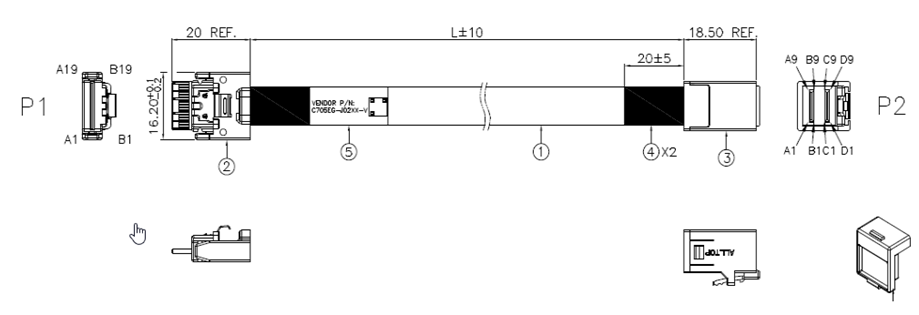
Asus Pike ASUS PIKE II 3008-8i, RAID 0, 1, 10, 1E
How to procure the cable
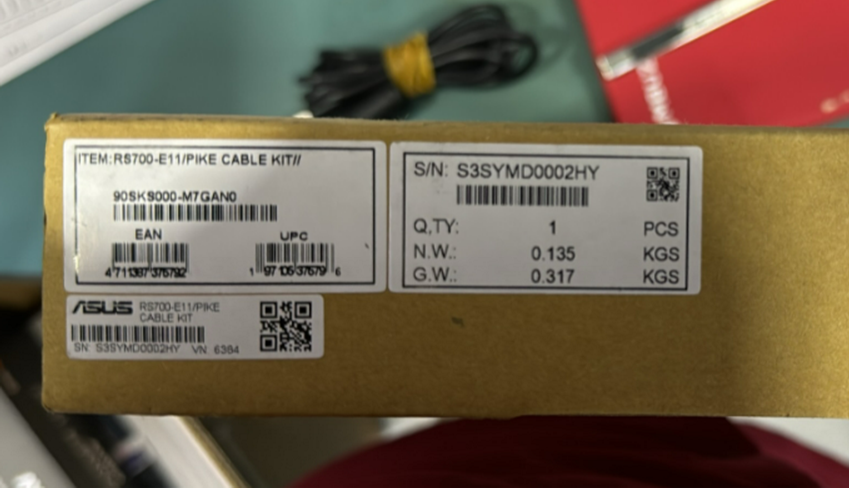
You can order the cable from ASUS using the part number or from other sources like Amazon. When ordering from ASUS, make sure to provide them with the correct part number for the cable you need. If you choose to order from another source, ensure that the cable is compatible with your server model and meets your requirements.
Required cable details
Asus Pike Cable Kit Part Number- Part No- 90SKS000-M7GAN0
Cable Connector type (MINI SAS SSF-8643 to SLIM SAS SFF-8654
4i )
Related Articles
Points to consider while configuring RAID Controller in ASUS Dual socket server with single CPU
Points to consider while configuring RAID Controller in ASUS Dual socket server with single CPU When planning a single CPU configuration in a dual-socket server, it's essential to review the motherboard specifications and design to fully understand ...RAID Card Detection Validation Procedure
This document outlines the standard technical steps to validate whether a RAID controller card is installed and detected correctly in a server system. These steps should be followed by field engineers and support teams whenever RAID detection issues ...Asus GPU Server ESC8000A-E12 Failing to Power On
Asus GPU Servers Failing to Power On During the assembly process, several Asus GPU servers failed to power on. The issue was identified during initial hardware setup and pre-deployment verification. Further investigation is required to determine ...How to enable SAN Connectivity and RAID Controller using HBA Card?
HBA Card is used for enabling communication between servers and storage devices SAN (Storage Area Network A Storage Area Network (SAN) is a specialized, high-speed network that provides block-level network access to storage RAID Controller RAID ...Creating RAID using an add-on Card through the BIOS
Creating Raid Configuration using an Add-on RAID Card through BIOS To create a RAID configuration using an add-on RAID card through the BIOS, you'll typically follow these general steps. Keep in mind that specific steps can vary based on the RAID ...
Recent Articles
Troubleshooting NVSM Alert NV-CPU-XX – Unrecoverable CPU Internal Error
Purpose This document provides a general troubleshooting procedure for the NVIDIA System Management (NVSM) alert NV-CPU-XX, which indicates that a CPU has reported an internal error. The article outlines how to verify whether the alert represents an ...PCIe Gen5 Switch Board Replacement
1. Objective The objective of this Method of Procedure (MOP) is to safely replace the defective PCIe Gen5 Switch Board in the Supermicro server while minimizing system downtime and ensuring all PCIe devices, including GPUs, NICs, NVMe drives, and ...Local Boot Support for DGX H200 with BCM 11
Overview This Knowledge Base (KB) article explains the supported method for deploying and managing a DGX H200 system using Bright Cluster Manager (BCM) 11 while booting the operating system from the node's local NVMe storage. To be managed by BCM, ...Execution of NVIDIA Field Diagnostic (FD) Tool and Collection of Diagnostic Logs, and troubleshooting of GPU(s) not detected
1. Objective To provide a standardized procedure for executing the NVIDIA Field Diagnostic (FD) tool, verifying GPU status, collecting the required diagnostic logs, and documenting the findings for further analysis. 2. Scope This procedure applies to ...Fiber Optic Bend Radius Measurement and Compliance
1. Purpose This article outlines the procedure for verifying that installed fiber optic cables comply with minimum bend radius requirements. Proper verification prevents signal degradation, ensures optimal optical performance, and protects the ...
Popular Articles
CP Plus Camera and NVR Configuration
NVR Configuration The CP Plus Pro Series of NVRs have been meticulously designed for providing you with upgraded performance and higher recording quality in your IP video surveillance solution. The robust processor that has been inculcated in this ...Kerberos Authentication – Overview
What is Kerberos? Kerberos is a secure authentication method used in our Active Directory (AD) environment (mbuzztech.com). It allows users to: Access multiple systems without re-entering passwords (Single Sign-On – SSO) Log in once Where We Use It ...How to Remove and Reinstall NVIDIA Drivers on Ubuntu
This article provides step by step guide to completely remove existing NVIDIA drivers and reinstall specific version of the NVIDIA driver on the Ubuntu system Prerequisites Administrative (sudo) access to the Ubuntu system. Internet access to ...Personal Computers and Servers - Classification and Point of Contact
We can classify the computers that MBUZZ handles based on their form-factor as below: Tower Workstations, Desktops, Gaming PCs and SFF (Small form factor) PCs fall under this category. These are computers people would use on a desk and rarely move. ...M.2 SSD Tier List
The sequential read and write speeds, which are usually the most advertised number, are not a proper benchmark of real-world performance or the quality of an SSD. This article categorizes and tiers SSDs based on factors like the type of NAND flash, ...