How to Upgrade Mellanox switch OS
Steps to
Upgrade Mellanox -OS
Login to the WEB GUI
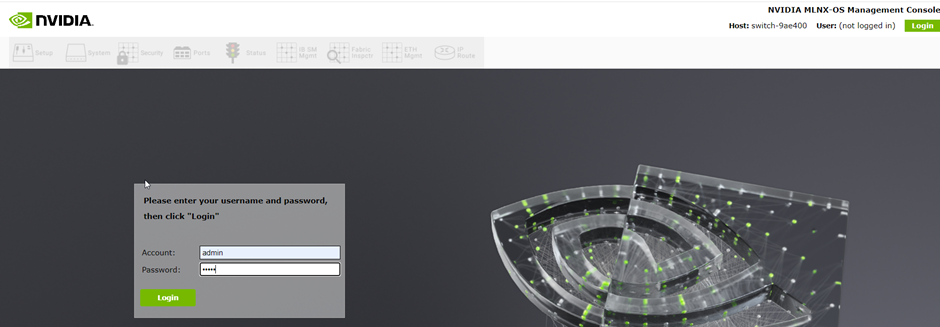
The switch will pop up with the current version of the OS
Open the https://nvcrm.my.site.com/npnportal/s/ Nvidia Partner Network portal and Navigate to the following Additional Resources>Enterprise Support>Downloads>Switches and Gateways>QM8700 Series>QM8700>All Downloads
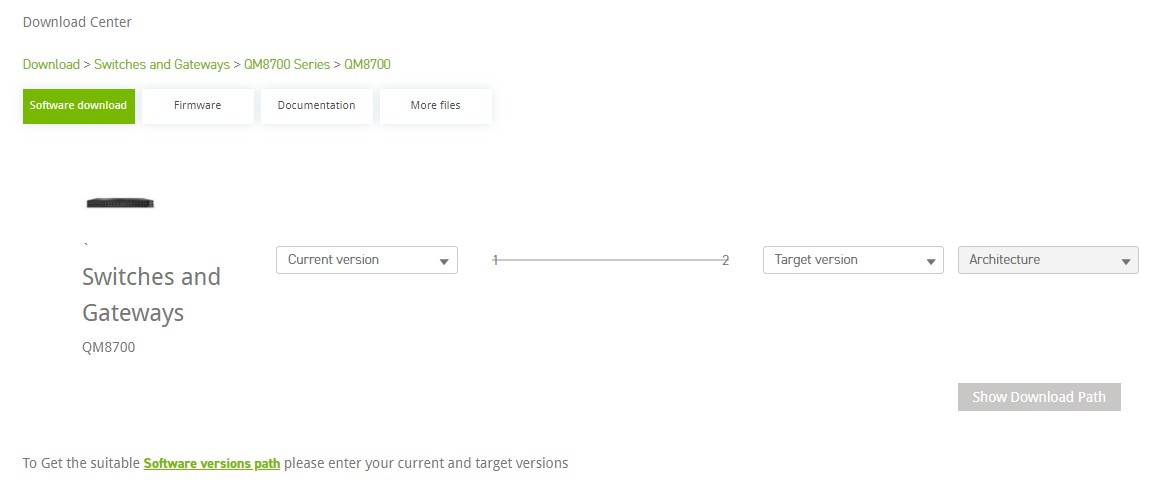
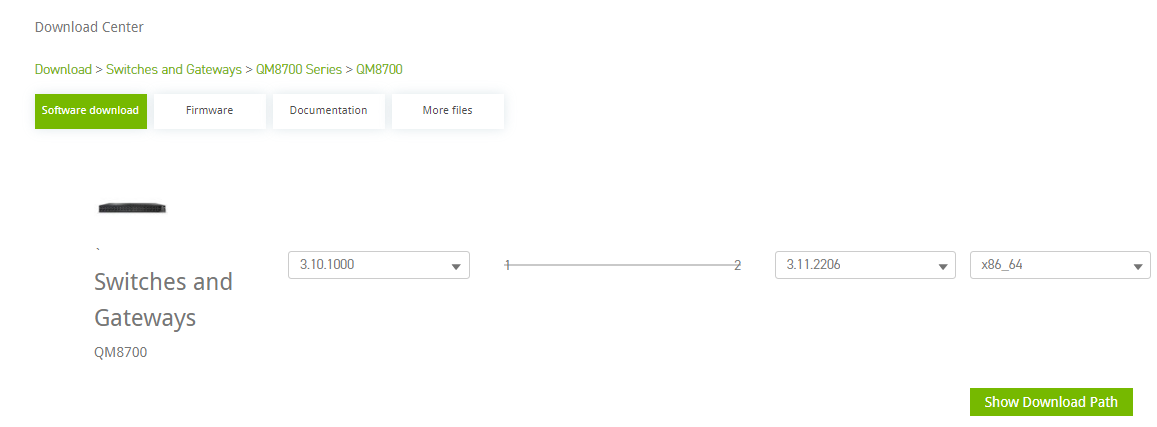
Choose the current version as shown in the Mellanox switch and the Target Version as LTS release version and architecture as 64bit. Then click on show Download path.
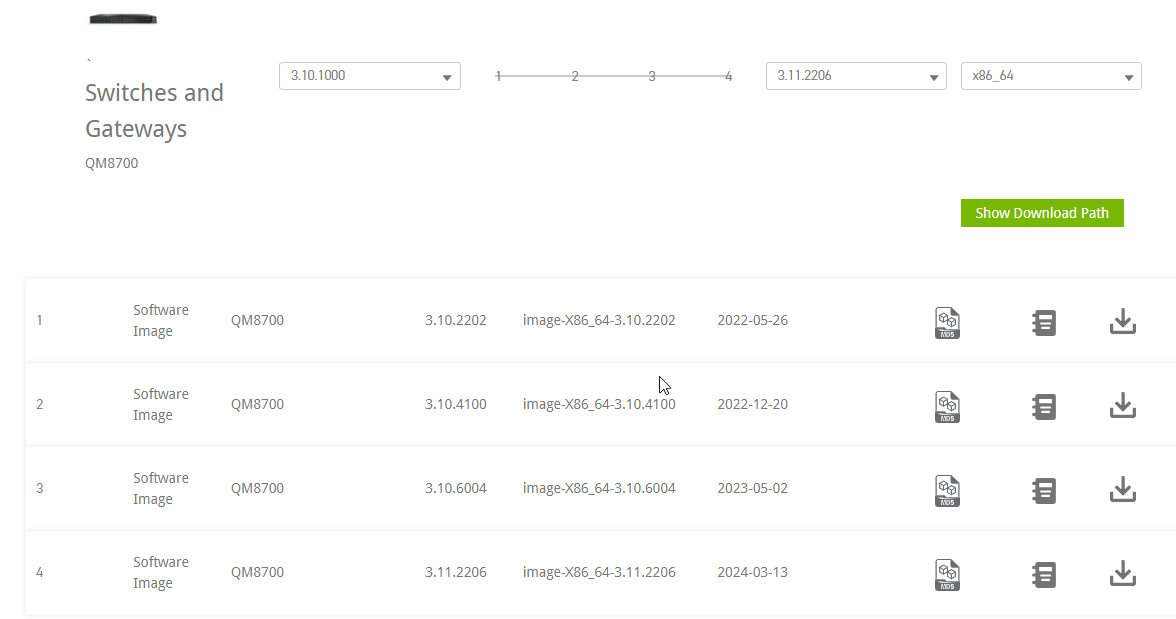
The Download path lists the OS upgrade versions. The upgrade path shows four versions which needs to be upgraded one after the other.
Click on Systems
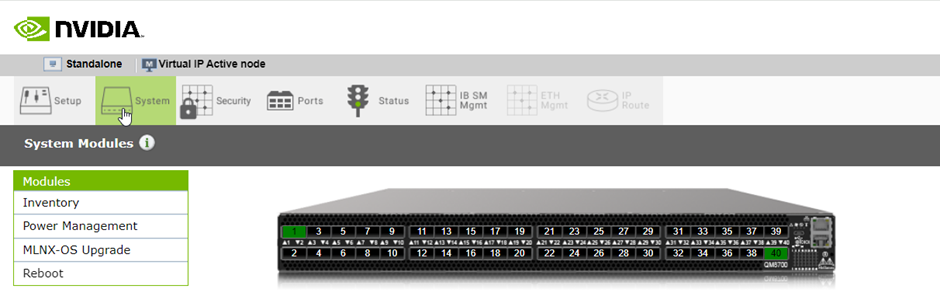
Click on MLNX-OS Upgrade
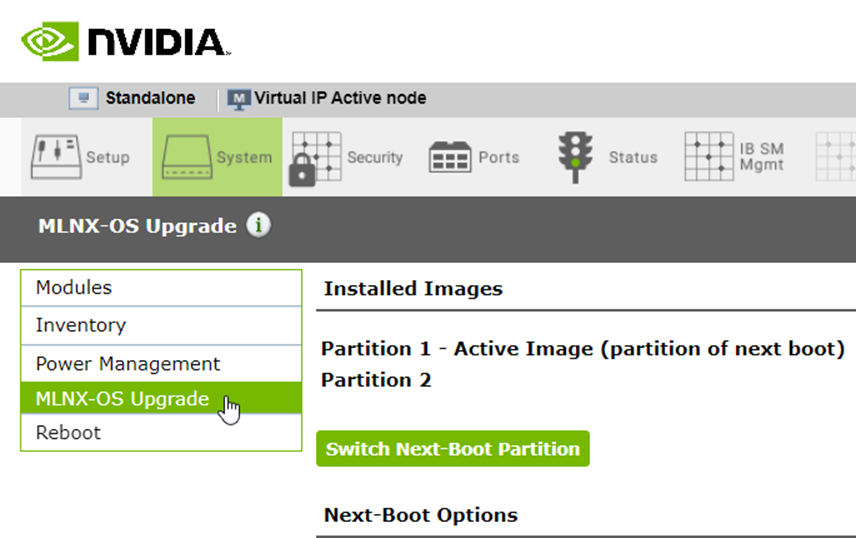

Make sure the image you are trying to upgrade to is not already located on the system

If you're upgrading the OS on your network switch, it's generally recommended to leave fallback reboot enabled.
This ensures that if there are any issues with the upgrade process or if the new configuration fails to apply properly, the system will still be able to boot with the previous working configuration.
The new image can be installed either by installing from URL or Install from Local downloaded file
Here we are going to install from local downloaded file. Check Install from local file checkbox and click on choose file
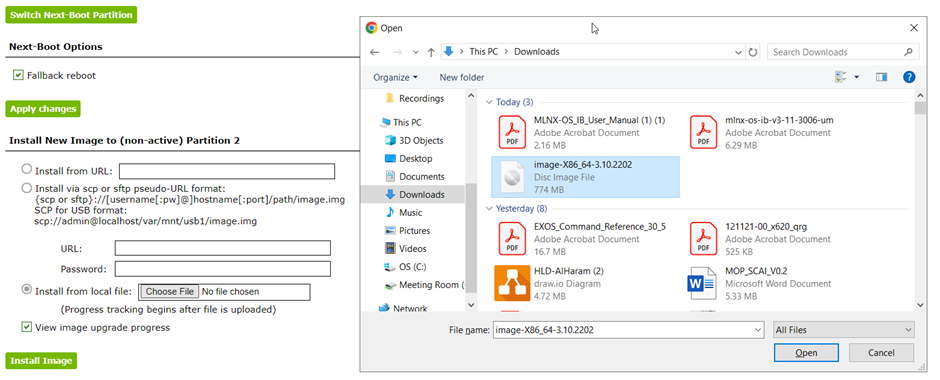
Click on Install Image and also check on View Image Upgrade Progress. You can able to monitor the progress
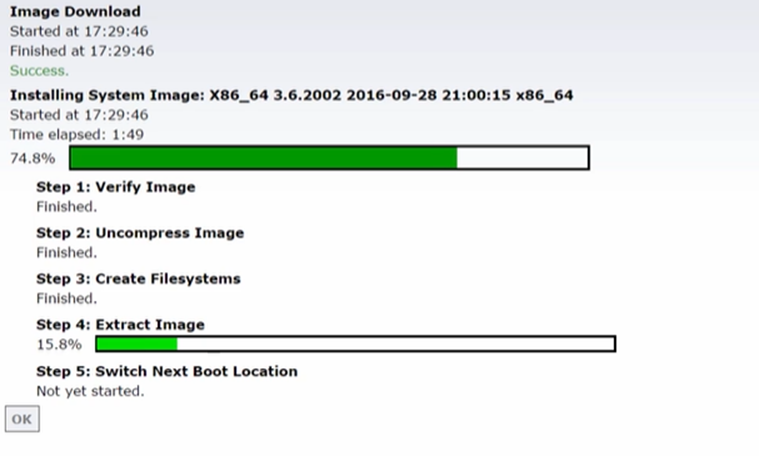
To activate newly installed software Image after completion. Please reboot the system.
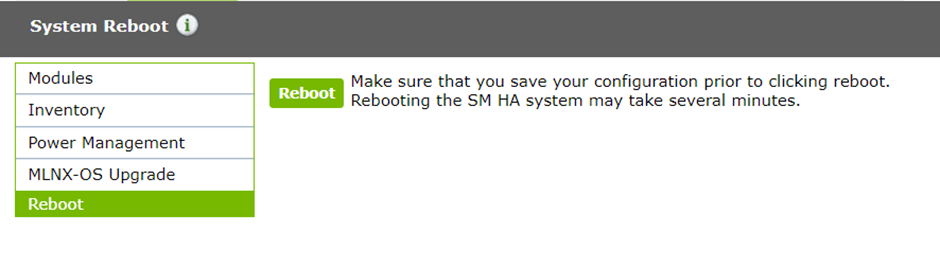
After reboot, login and verify in the systems tab -> MLNX-OS Upgrade. Active image will be your current software.
Related Articles
Updating Port Description on Mellanox Switches like QM9700
Objective To update the description for multiple InfiniBand (IB) ports on a Mellanox QM9700 series switch using the web interface. Prerequisites Administrative access to the Mellanox QM9700 switch's web interface. A pre-prepared list of commands with ...
How to Get Mellanox NIC Details on an Ubuntu Server
Step 1: List All Mellanox Adapters To find all Mellanox network adapters on your system, run: lspci | grep Mellanox Example output: 04:00.0 Ethernet controller: Mellanox Technologies MT26448 [ConnectX EN 10GigE, PCIe 2.0 5GT/s] (rev b0) Step 2: ...
Configuring Management Interface 0 (eth0) on SONiC 4.5.0 Switch via SONiC CLI
Purpose: This article provides step-by-step instructions to configure the management interface (Management 0 / eth0) on a SONiC 4.5.0 switch with a static IP and default gateway using the SONiC CLI. Scope: Applicable to Edgecore S-series switches ...
How to update Mellanox ConnectX-7 NICs Firmware on OSS Servers
1. Purpose This article describes the procedure to upgrade the Mellanox ConnectX-7 network adapter firmware on the affected OSS servers to version 28.45.1200 in order to ensure compatibility, stability, and optimal performance. 2. Scope This ...
Asus AIO E3402 RAM Upgradation
Asus AIO E3402 RAM Upgradation Upgrading and replacing components in the most current Asus AIO PC series needed extra caution. Because they are more sleek and thin than earlier models., especially while opening the device. Otherwise, there is a ...
Recent Articles
Troubleshooting NVSM Alert NV-CPU-XX – Unrecoverable CPU Internal Error
Purpose This document provides a general troubleshooting procedure for the NVIDIA System Management (NVSM) alert NV-CPU-XX, which indicates that a CPU has reported an internal error. The article outlines how to verify whether the alert represents an ...
PCIe Gen5 Switch Board Replacement
1. Objective The objective of this Method of Procedure (MOP) is to safely replace the defective PCIe Gen5 Switch Board in the Supermicro server while minimizing system downtime and ensuring all PCIe devices, including GPUs, NICs, NVMe drives, and ...
Local Boot Support for DGX H200 with BCM 11
Overview This Knowledge Base (KB) article explains the supported method for deploying and managing a DGX H200 system using Bright Cluster Manager (BCM) 11 while booting the operating system from the node's local NVMe storage. To be managed by BCM, ...
Execution of NVIDIA Field Diagnostic (FD) Tool and Collection of Diagnostic Logs, and troubleshooting of GPU(s) not detected
1. Objective To provide a standardized procedure for executing the NVIDIA Field Diagnostic (FD) tool, verifying GPU status, collecting the required diagnostic logs, and documenting the findings for further analysis. 2. Scope This procedure applies to ...
Fiber Optic Bend Radius Measurement and Compliance
1. Purpose This article outlines the procedure for verifying that installed fiber optic cables comply with minimum bend radius requirements. Proper verification prevents signal degradation, ensures optimal optical performance, and protects the ...
Popular Articles
CP Plus Camera and NVR Configuration
NVR Configuration The CP Plus Pro Series of NVRs have been meticulously designed for providing you with upgraded performance and higher recording quality in your IP video surveillance solution. The robust processor that has been inculcated in this ...
Kerberos Authentication – Overview
What is Kerberos? Kerberos is a secure authentication method used in our Active Directory (AD) environment (mbuzztech.com). It allows users to: Access multiple systems without re-entering passwords (Single Sign-On – SSO) Log in once Where We Use It ...
How to Remove and Reinstall NVIDIA Drivers on Ubuntu
This article provides step by step guide to completely remove existing NVIDIA drivers and reinstall specific version of the NVIDIA driver on the Ubuntu system Prerequisites Administrative (sudo) access to the Ubuntu system. Internet access to ...
Personal Computers and Servers - Classification and Point of Contact
We can classify the computers that MBUZZ handles based on their form-factor as below: Tower Workstations, Desktops, Gaming PCs and SFF (Small form factor) PCs fall under this category. These are computers people would use on a desk and rarely move. ...
M.2 SSD Tier List
The sequential read and write speeds, which are usually the most advertised number, are not a proper benchmark of real-world performance or the quality of an SSD. This article categorizes and tiers SSDs based on factors like the type of NAND flash, ...