KB 037487 - RMA Ticketing Etiquettes
Update the ticket subject if not appropriate.
Setting Account in RMA ticket
Sometimes RMA forms are sent by internal team members on behalf of their customer. This will cause Zoho ticket to be generated under MBUZZ account as shown below:
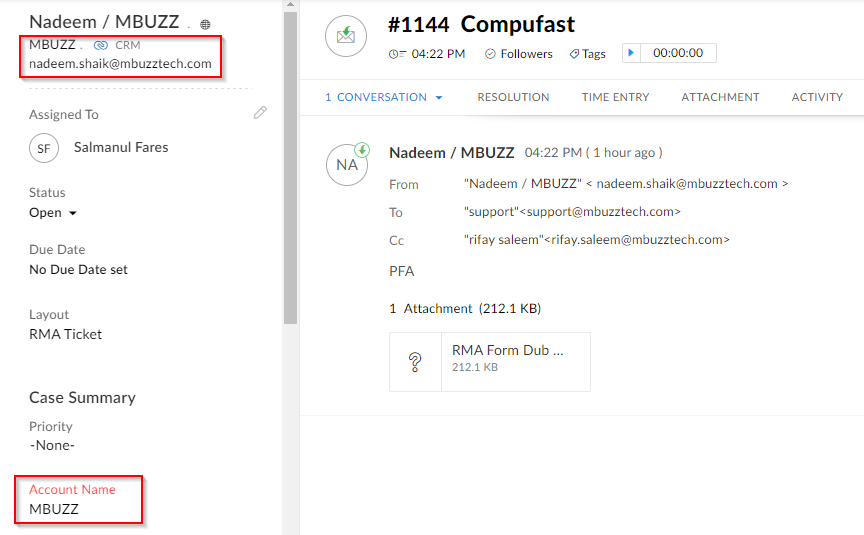
In such cases, check whatever information is in the RMA form / from sender and update the account to reflect the actual customer account.
For the above this is compufast. Edit and clear the existing account and search for it and add the contact mentioned in CRM/RMA form:
For the above this is compufast. Edit and clear the existing account and search for it and add the contact mentioned in CRM/RMA form:
This will allow us to look up RMAs by account in zohodesk later
General Emails advice
Remove rma@mbuzztech.com from all addresses to avoid loopback, it is an alias of support@mbuzztech.com
Internal Emails
Remove customer's addresses from emails when communicating with team members internally.
Attachments
- Attaching RMA form (re-written by RMA service team), its naming convention -RMA- <ticket#>-<CustomerName>-<Date>-<location>. E.g would be RMA-1018-GrandPCD-240922-KWT
- Attaching CN
- Attaching DN
Populating mandatory fields
Subject, RMA service tag, Invoice number
Outbound Customer Emails
- Only loop relevant team members
- If any additional members are being looped, inform the reason. For example
- Looping our Logistics team to arrange collection
- Address the customer by name (if only one individual is being mailed) or as Team XYZ
- Make sure MBUZZ signature is placed
- Use canned responses as much as possible
Splitting Tickets
If customer sends a separate RMA form while one is under process, split that email into a new ticket.
As in the example below:
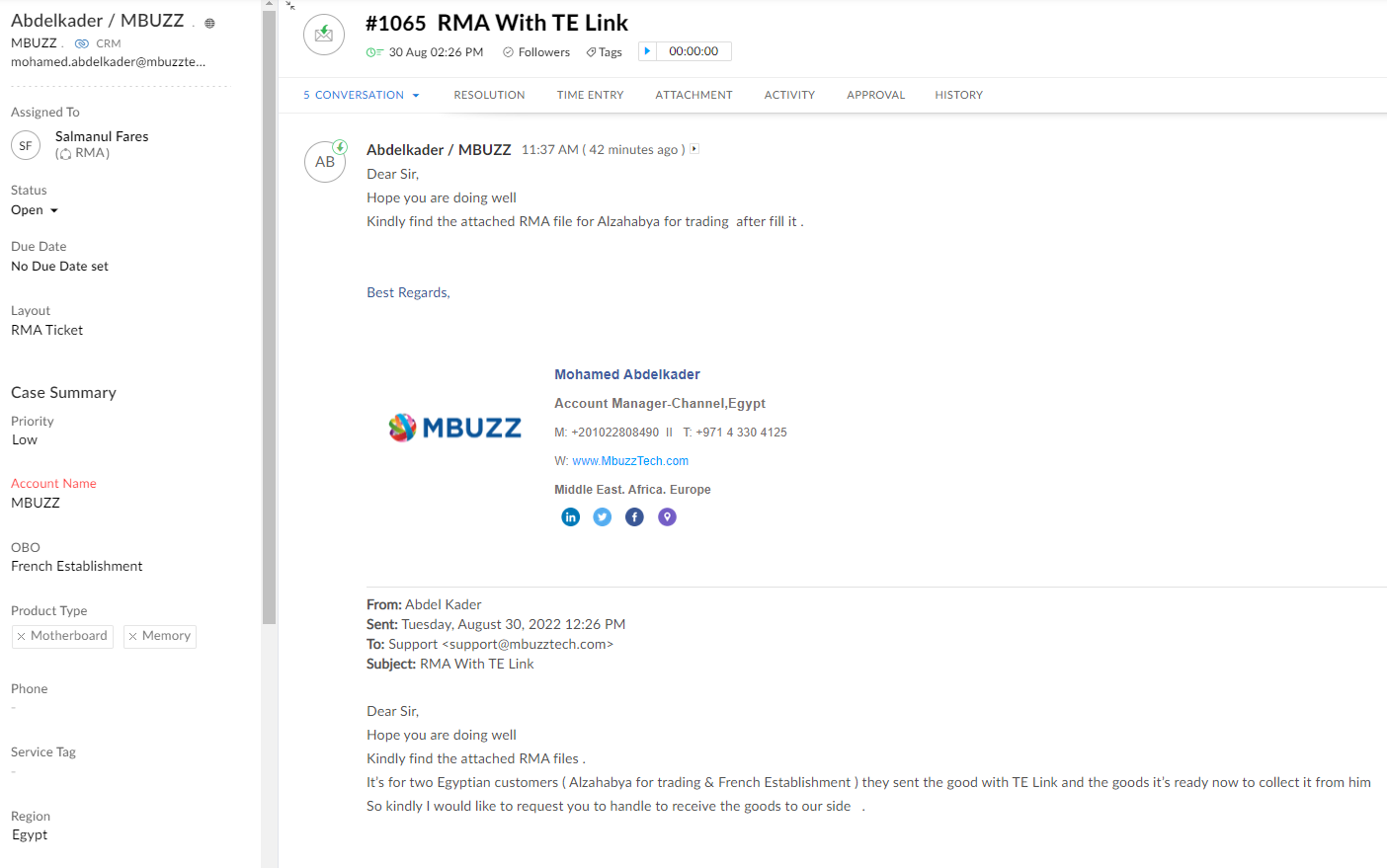
Here the current ticket is for French establishment, but another RMA form for Alzahabya was sent in the same thread. Click the overflow icon for this email and split it into a new ticket:
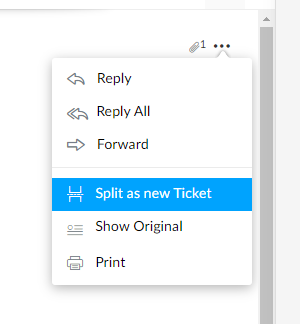
Same is done when a customer emails a new RMA as reply to a previously closed ticket:
Duplicating Tickets
If a salesperson sends multiple customer's RMA form, or if a customer sends multiple RMA forms in an email make duplicates of the ticket and attach each RMA form to a separate ticket
Merging Tickets
If a customer sends a new email for an existing RMA, merge the newly generated ticket to the already existing RMA ticket